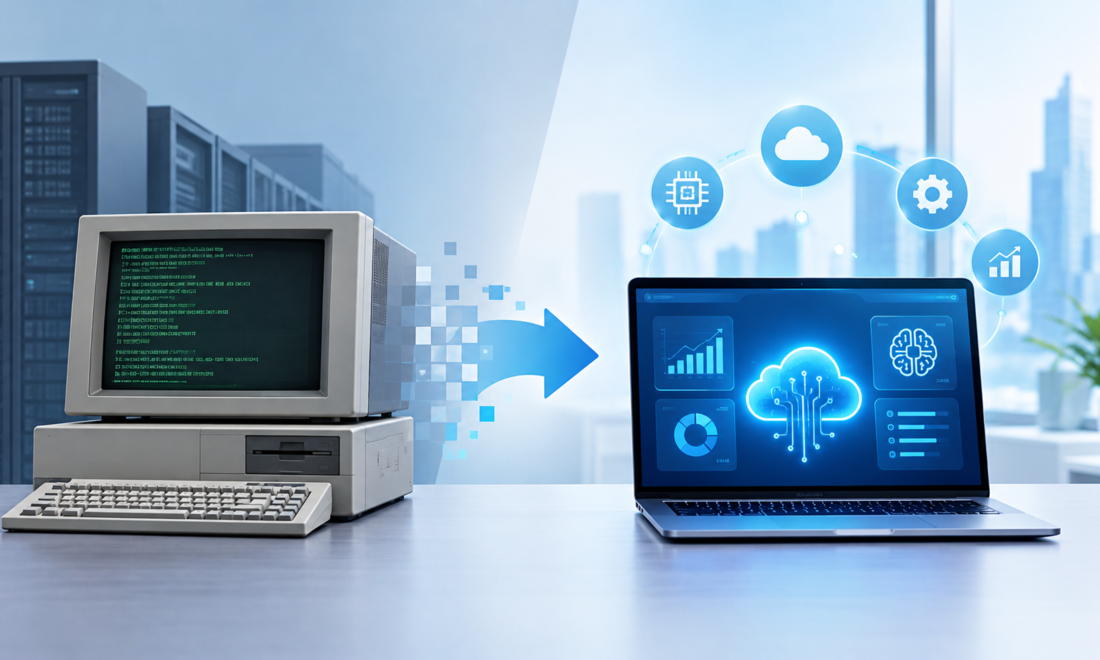
I once worked around a business process where everyone knew the system was outdated, but nobody wanted to touch it.
The software was old. The interface looked like it belonged to another decade. Some reports still depended on spreadsheets, and employees had developed their own workarounds for problems in the system.
Yet the company kept using it.
Why?
Because the software was connected to important business processes, and replacing it wasn’t as simple as uninstalling an old application and installing a new one.
That’s the reality many businesses face today.
Moving from legacy systems to modern cloud platforms, automation, and AI isn’t just a technology upgrade. It can involve years of data, complicated integrations, employee habits, security concerns, and business-critical processes.
In 2026, more companies are tackling this problem by modernizing gradually instead of trying to replace everything at once.
And that’s often the more practical approach.
What Is a Legacy System?
A legacy system is generally an older technology, application, infrastructure setup, or process that a business still depends on.
It doesn’t necessarily mean the system is completely useless.
In fact, some legacy systems continue working reliably for years.
The problem is that they can become difficult or expensive to maintain.
A legacy environment might involve:
- Old databases
- On-premises servers
- Outdated business applications
- Custom software
- Older programming languages
- Manual data transfers
- Spreadsheet-based workflows
- Systems that don’t easily connect to modern APIs
The biggest issue isn’t always age.
It’s often dependency.
A decades-old system may still control important information that other parts of the company need.
Why Businesses Don’t Simply Replace Old Technology
From the outside, modernization can sound easy.
“Just move everything to the cloud.”
In practice, it’s much more complicated.
Imagine a company has used the same internal system for 15 years.
Thousands of customers are stored in it.
Employees understand how it works.
Other applications depend on its database.
Reports are built around its data structure.
Some integrations may be undocumented.
Replacing it suddenly could interrupt operations.
That’s why businesses often choose a phased modernization strategy.
Instead of replacing everything on one weekend, they gradually move individual components.
The Real Cost of Legacy Technology
Older technology can create costs that don’t appear directly on an IT budget.
For example, employees might spend hours manually transferring data.
A manager may wait several days for a report.
Developers may spend time maintaining old code instead of building new features.
The company may struggle to hire people familiar with an outdated technology stack.
Security updates may become difficult.
Integrating a modern application may require expensive custom development.
These hidden costs can eventually become more significant than the original software license.
The First Step: Understand What You Already Have
One mistake businesses make is starting modernization without understanding their existing environment.
Before replacing anything, create an inventory.
Document:
- Applications
- Databases
- Servers
- APIs
- Integrations
- Data sources
- Users
- Business-critical processes
- Security dependencies
Then classify systems according to their importance.
A simple approach is:
Critical: The business cannot operate normally without it.
Important: The business can continue temporarily without it.
Low priority: It can be replaced or removed with relatively little disruption.
This makes modernization much easier to plan.
Not Every Legacy System Needs to Be Replaced
This is an important lesson.
Modernization doesn’t always mean throwing away old software.
Sometimes the smartest approach is to keep a stable core system while connecting it to newer technologies.
For example, a company could keep its existing database while introducing:
- A modern web interface
- An API layer
- Cloud analytics
- Automated workflows
- AI-assisted reporting
The old system continues doing what it already does well, while newer technology handles new requirements.
This can reduce migration risk.
APIs Can Connect Old and New Systems
Application programming interfaces, commonly called APIs, are one of the most useful tools in modernization.
An API allows different software systems to communicate.
Imagine an old inventory system contains product information.
A modern e-commerce website needs access to that information.
Instead of rebuilding the inventory system immediately, the company could create an API that allows the website to request relevant inventory data.
The customer sees a modern online store.
Behind the scenes, part of the old infrastructure may still be operating.
This isn’t necessarily a bad thing.
The objective is to create a reliable architecture, not to make every component look new.
Cloud Migration Is Another Major Step
Cloud computing has become an important part of modernization strategies.
Businesses can move selected workloads from physical infrastructure to cloud services.
Depending on the situation, this can provide:
- Flexible computing capacity
- Managed databases
- Easier remote access
- Centralized infrastructure management
- Modern security tools
- Easier integration with analytics and AI services
Major cloud platforms include services from companies such as Amazon Web Services, Microsoft Azure, and Google Cloud.
But cloud migration needs planning.
Simply moving an inefficient application from a local server to the cloud doesn’t automatically make the application better.
You can end up with the same inefficient process running on a different computer.
Three Common Ways to Modernize
There isn’t one migration method that works for every business.
1. Rehost
The application is moved to a new infrastructure environment with minimal changes.
This is sometimes called a “lift and shift” approach.
It can be relatively quick, but it may not take full advantage of modern cloud capabilities.
2. Refactor
The business changes parts of the application so it works better with modern infrastructure.
This requires more development work but can produce a more flexible system.
3. Replace
The old system is retired and replaced with a modern platform.
This can provide the biggest change but may also create significant migration and training requirements.
Choosing between these approaches depends on the application’s importance, technical condition, cost, and business requirements.
Where AI Fits Into Modernization
AI is often presented as the final destination of digital transformation.
But adding AI to an outdated environment isn’t always straightforward.
AI needs useful data.
If a company’s customer information is scattered across spreadsheets, old databases, emails, and disconnected applications, an AI system may struggle to provide reliable results.
That’s why modernization often needs to happen underneath the AI layer.
A useful progression can look like this:
Legacy systems → Connected data → Cloud infrastructure → Automation → Analytics → AI
The exact sequence varies, but the principle is important.
AI doesn’t eliminate poor data architecture.
Businesses Are Using AI for Practical Tasks
AI modernization doesn’t necessarily begin with a sophisticated autonomous system.
Many businesses start with smaller applications.
For example:
Customer Support
AI can help categorize incoming requests and suggest responses to support employees.
Document Processing
AI can extract information from invoices, forms, contracts, and other documents.
Internal Search
Employees can use AI-assisted search to find information inside large collections of company documents.
Software Development
Developers can use AI coding assistants to generate routine code, explain unfamiliar code, create tests, or help debug problems.
Data Analysis
AI can help employees explore datasets and create summaries or explanations.
The important word is assist.
Businesses should determine where human review is required rather than assuming AI output is automatically correct.
Data Migration Is Often the Hardest Part
Moving software can be difficult.
Moving years of business data can be even harder.
Imagine a company has customer records accumulated over 20 years.
Some records may contain:
- Duplicate customers
- Missing information
- Old addresses
- Different date formats
- Inconsistent names
- Incorrect categories
- Outdated records
Before moving the data, businesses often need to clean and standardize it.
This is where modernization projects can become much larger than expected.
A useful rule is:
Don’t migrate unnecessary data just because it exists.
Determine what information the business actually needs.
Security Must Be Built Into Modernization
Moving from older infrastructure to cloud services and AI introduces new security considerations.
Businesses should pay attention to:
- Identity management
- Multi-factor authentication
- Access permissions
- Encryption
- API security
- Backup systems
- Monitoring
- Employee training
- Vendor security
- Data retention
One common mistake is giving employees or applications more access than they actually need.
A better approach is to provide access based on specific responsibilities.
If an employee only needs customer-support information, they may not need access to financial records or administrative systems.
Modernization Doesn’t Have to Mean Massive Spending
This is particularly relevant for small and medium-sized businesses.
You don’t necessarily need a multi-million-dollar transformation program.
Start with one process that creates measurable problems.
For example:
Old process: Employees spend four hours every morning preparing a sales report.
Modern approach: Connect the relevant systems and automatically generate the report.
Now you’ve created a clear measurement:
Time saved = four hours per day.
That gives the business a way to calculate whether the project was worthwhile.
A Practical Modernization Roadmap
If I were starting a modernization project from scratch, I’d break it into manageable stages.
Step 1: Audit the Existing Environment
Create a list of systems and identify what each one does.
Don’t rely on assumptions.
Talk to the people actually using them.
Step 2: Identify the Biggest Bottleneck
Look for processes causing:
- Excessive manual work
- Frequent errors
- Slow customer service
- High maintenance costs
- Security problems
- Poor reporting
Start with one.
Step 3: Clean the Data
Before introducing advanced analytics or AI, make sure the underlying information is reliable.
Step 4: Create Connections
Use APIs, integrations, or middleware to connect systems where appropriate.
Step 5: Move Suitable Workloads
Consider cloud migration where it provides a genuine operational benefit.
Step 6: Automate Repetitive Tasks
Use workflow automation for predictable, rule-based processes.
Step 7: Introduce AI Carefully
Choose specific use cases where AI can save time or improve access to information.
Step 8: Measure Everything
Track:
- Processing time
- Operating cost
- Error rates
- Downtime
- Employee productivity
- Customer response time
Without measurements, modernization becomes difficult to evaluate.
Common Mistakes to Avoid
Replacing Technology Without Fixing the Process
A new system won’t automatically fix a bad workflow.
Understand the process first.
Migrating Everything at Once
A massive migration can create unnecessary risk.
Phased migration can make testing and troubleshooting easier.
Ignoring Employees
People need training and time to adapt.
The system may be technically excellent but still fail if employees don’t understand how to use it.
Adding AI Before Fixing Data
AI needs reliable information.
Fixing data quality and accessibility should come before expecting advanced AI systems to solve everything.
Forgetting About Costs
Cloud services, APIs, software subscriptions, AI usage, security tools, and data storage can all create recurring costs.
Monitor them regularly.
What the Modern Business Technology Stack Can Look Like
A modern company might have several layers:
User Interface
Websites, mobile applications, employee portals, and dashboards.
↓
Business Applications
CRM, accounting, inventory, HR, e-commerce, and other systems.
↓
Integration Layer
APIs, automation platforms, and middleware.
↓
Data Layer
Databases, data warehouses, analytics platforms, and cloud storage.
↓
AI Layer
AI assistants, document processing, predictive analytics, recommendations, and other models.
↓
Security Layer
Identity management, access controls, encryption, monitoring, and backups.
Not every company needs every component.
The right architecture depends on the business.
Why Gradual Modernization Often Makes Sense
One of the biggest lessons from technology projects is that “new” isn’t automatically “better.”
A stable legacy application that processes millions of transactions reliably may be more valuable than a shiny replacement that introduces unexpected problems.
Modernization should therefore focus on business outcomes.
Ask:
What are we trying to improve?
Then choose technology that supports that goal.
Maybe the objective is faster reporting.
Maybe it’s better customer service.
Maybe it’s reducing manual work.
Maybe it’s improving security.
Maybe it’s enabling an AI application.
Once the objective is clear, the technology decision becomes much easier.
Final Thoughts
Moving from legacy systems to AI isn’t one giant technology upgrade.
It’s a journey.
A business may begin by cleaning old data, then connect systems through APIs, move selected workloads to the cloud, automate repetitive processes, improve analytics, and eventually introduce AI into specific workflows.
Some legacy technology may remain throughout that process.
And that’s perfectly fine.
The goal isn’t to make every piece of technology new.
The goal is to create a business environment where systems can communicate, information is reliable, employees can work efficiently, customers receive better service, and new technologies can be introduced without rebuilding everything from scratch.
If there’s one practical lesson I’d take from modernization projects, it’s this:
Don’t start by asking, “What new technology should we buy?”
Start by asking:
“What is slowing our business down, and what would a better process look like?”
Once you have that answer, cloud computing, automation, APIs, modern applications, and AI become tools for solving a real problem rather than technology added simply because everyone else is using it.