
The first time I tried to automate a repetitive business task, I made the mistake of looking for the most impressive tool.
That was the wrong approach.
The real question wasn’t, “Which automation platform has the most features?”
It was much simpler:
Does this task follow the same rules every time, or does someone need to make a judgment along the way?
That question has become even more important as AI agents have entered the automation conversation.
Traditional automation has been helping businesses move information, trigger notifications, update databases, and connect applications for years. Tools such as Zapier, Make, Microsoft Power Automate, and similar platforms can handle surprisingly complex workflows without needing an AI agent.
AI agents introduce something different.
Instead of following only predefined instructions, an AI agent can potentially interpret information, decide which available tool to use, and work through several steps toward a goal.
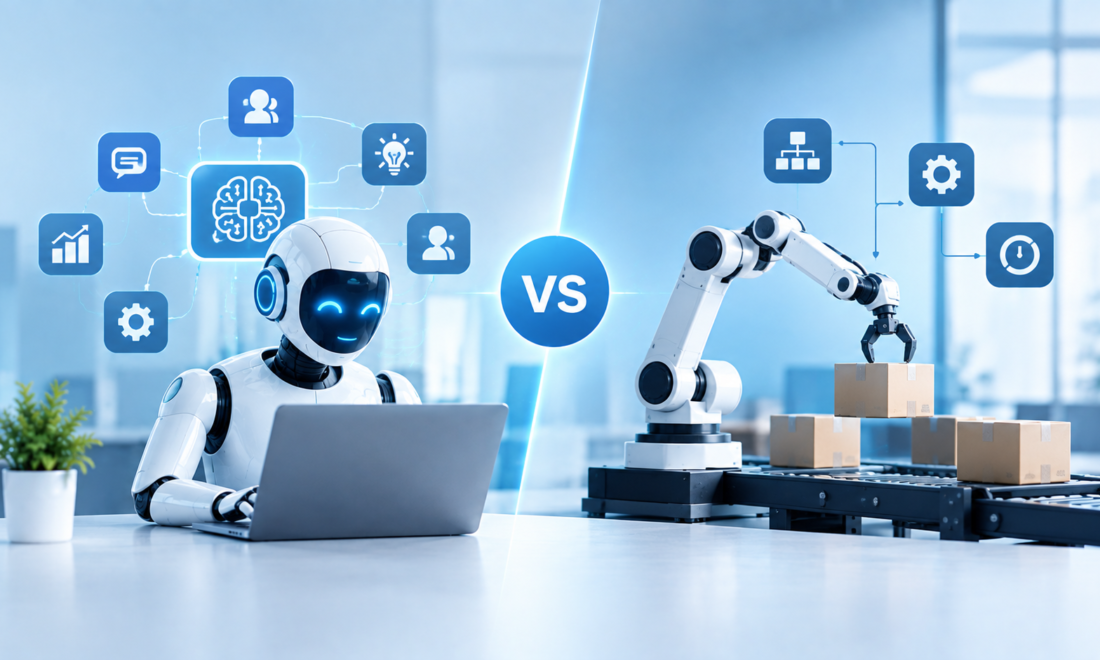
For businesses in 2026, the choice isn’t necessarily AI agents vs traditional automation.
In many cases, the most useful setup is a combination of both.
What Is Traditional Automation?
Traditional automation is essentially a set of predefined instructions.
You tell the system:
When X happens, do Y.
For example:
When someone submits our contact form, add their details to the CRM and send a notification to the sales team.
The system doesn’t need to understand the request deeply.
It simply follows the workflow.
Another example:
When an invoice arrives in a specific folder, save the attachment to cloud storage and notify the finance department.
If the conditions are clear and predictable, traditional automation can work extremely well.
And that’s something worth remembering when talking about AI.
Not every business process needs AI.
Sometimes a simple rule-based workflow is faster, cheaper, easier to test, and easier to maintain.
What Is an AI Agent?
An AI agent works differently.
Instead of simply following a fixed sequence, an agent can potentially interpret a goal, analyze information, choose from available tools, and determine what to do next.
Imagine receiving this customer message:
“I was charged for the wrong plan and I’d like to switch back. Also, can you tell me whether I’ll get a refund?”
That’s not a simple trigger.
The system may need to understand the customer’s intent, look up the account, check the current subscription, review the company’s refund policy, and decide whether the issue needs human approval.
An AI agent can potentially coordinate those steps.
The exact capabilities depend on the AI model, integrations, permissions, and workflow design.
That’s an important distinction because “AI agent” doesn’t automatically mean fully autonomous software.
In real business environments, agents are often designed with boundaries.
AI Agents vs Traditional Automation: The Main Difference
Here’s the simplest comparison:
| Feature | Traditional Automation | AI Agents |
|---|---|---|
| Basic logic | Predefined rules | Goal-oriented instructions |
| Handles structured data | Excellent | Excellent |
| Handles messy language | Limited | Stronger |
| Makes contextual decisions | Usually limited | Can potentially do this |
| Predictability | Very high | Variable |
| Flexibility | Lower | Higher |
| Human approval | Easy to add | Often important |
| Best for | Repetitive predictable tasks | Multi-step variable tasks |
| Typical failure | Workflow doesn’t trigger | AI misunderstands or chooses incorrectly |
| Monitoring needs | Usually straightforward | Often more involved |
This doesn’t mean AI agents replace traditional automation.
It means they solve somewhat different problems.
When Traditional Automation Is Still the Better Choice
This is one of the points that gets overlooked in AI discussions.
If your process is completely predictable, adding an AI model may actually make the system more complicated.
Imagine this workflow:
New order received → update spreadsheet → send notification
There’s no real reason to ask an AI model to decide what happens.
You already know what should happen.
A rule-based automation can handle it.
Traditional automation is particularly useful when:
- The input is structured.
- The rules are clear.
- The same steps happen every time.
- Errors are easy to detect.
- The process doesn’t require interpretation.
- You need highly predictable behavior.
For these situations, simplicity can be a feature.
When AI Agents Start Making More Sense
AI agents become more interesting when the workflow involves unstructured information or changing circumstances.
Consider customer emails.
One person might write:
“Can you send me the invoice for last month’s order?”
Another might write:
“I can’t find the bill from my last purchase. I need it for accounting.”
A third might say:
“Please resend whatever invoice you issued for my most recent order.”
A simple keyword-based automation could struggle with variations like these.
An AI system can potentially understand that all three requests are asking for similar information.
That’s where AI adds value.
AI agents can be particularly useful when a workflow involves:
- Natural-language requests
- Unstructured documents
- Variable instructions
- Multiple possible paths
- Contextual decisions
- Research across several sources
- Exception handling
- Multi-step reasoning
A Realistic Example: Customer Support
Let’s compare the two approaches.
Traditional automation
A customer submits a support form.
The system sees:
Category = Billing
It creates a ticket and sends it to the billing department.
Simple.
Reliable.
Predictable.
AI-assisted workflow
A customer sends a detailed email explaining a billing problem.
An AI agent could potentially:
- Read the message.
- Identify the customer’s intent.
- Find the customer account.
- Check recent transactions.
- Review the relevant policy.
- Determine whether the issue matches a known case.
- Draft a response.
- Create or update a support ticket.
- Escalate the issue if it falls outside predefined boundaries.
The second workflow is more flexible.
But it’s also more complicated.
The agent could misunderstand the customer’s request or retrieve the wrong information.
That’s why human review and carefully limited permissions matter.
The Hybrid Approach Is Often the Most Practical
One of the most useful lessons I’ve found when looking at AI automation is that businesses don’t necessarily have to choose one technology.
You can combine them.
For example:
AI agent
Reads and understands the customer’s email.
↓
Traditional automation
Checks the CRM and retrieves the account.
↓
AI agent
Interprets the information and prepares a response.
↓
Business rule
If refund exceeds a certain amount, require approval.
↓
Human
Reviews and approves.
↓
Traditional automation
Updates the system and sends the approved response.
That’s a much more realistic architecture than trying to make one AI agent responsible for everything.
AI handles the parts involving interpretation.
Traditional automation handles predictable actions.
Humans handle important judgment calls.
Why Businesses Are Paying Attention to AI Agents in 2026
The interest isn’t simply about having smarter chatbots.
The bigger opportunity is connecting AI to the software businesses already use.
A company might have information spread across:
- Gmail or Outlook
- Salesforce
- Microsoft Teams
- Slack
- Google Drive
- SharePoint
- Jira
- Notion
- Accounting software
- Internal databases
Traditional automation can connect many of these systems when the workflow is clearly defined.
AI agents can potentially add a layer that understands what people are asking for and determines which connected systems are relevant.
That makes the combination particularly interesting.
AI Agents Can Handle Exceptions Better — But Not Perfectly
Here’s where expectations need to be realistic.
Traditional automation generally follows the path you designed.
If something unexpected happens, the workflow may stop or send the issue to an exception queue.
An AI agent can potentially interpret an unexpected situation and choose another path.
That’s useful.
But it introduces a new type of risk.
Instead of simply stopping, the AI might make the wrong decision.
For example, an agent could misunderstand an invoice, select the wrong customer record, or interpret an ambiguous request incorrectly.
So “AI can handle exceptions” shouldn’t mean “AI can safely handle every exception.”
Testing still matters.
Cost: Don’t Assume AI Is Automatically Cheaper
Another common mistake is assuming that replacing traditional automation with AI automatically reduces costs.
It doesn’t.
AI workflows can involve:
- Model usage costs
- API costs
- Integration costs
- Development
- Monitoring
- Testing
- Security controls
- Human review
A simple rule-based workflow may be significantly cheaper to operate.
The question should be:
What problem are we solving?
If traditional automation already handles the job reliably, there may be little reason to introduce an AI agent.
If employees spend hours interpreting emails, documents, or requests before the workflow can continue, AI may have a more meaningful role.
Security and Permissions Matter More With AI Agents
This is probably the area where businesses should be particularly careful.
Suppose an automation can update a CRM record.
That’s one thing.
Now imagine an AI agent that can:
- Read customer records
- Modify CRM information
- Send emails
- Create invoices
- Access internal documents
- Trigger other workflows
The consequences of an incorrect action can become much larger.
That’s why agentic workflows should use carefully defined permissions.
An agent should have access to what it needs—not everything that happens to be technically available.
For higher-risk actions, human approval can provide another layer of control.
A Simple Decision Framework
Before choosing between traditional automation and an AI agent, ask five questions.
1. Is the process predictable?
If the answer is yes, traditional automation may be sufficient.
2. Does the workflow require understanding natural language?
If employees have to interpret emails, documents, or conversations, AI may be useful.
3. Are there many possible paths?
If every request follows the same sequence, traditional automation works well.
If different situations require different actions, an AI-assisted workflow may be worth considering.
4. What happens when something goes wrong?
This is particularly important.
If an error means sending the wrong notification, the risk may be manageable.
If an error means transferring money or exposing confidential information, much stronger controls are needed.
5. Can you measure the benefit?
Before implementing anything, establish a baseline.
Track:
- Time spent
- Number of tasks
- Error rate
- Cost
- Human involvement
- Processing delays
Then compare the results after implementation.
Examples of Traditional Automation
Traditional automation remains useful across many businesses.
Examples include:
- Automatically sending appointment reminders
- Moving files between folders
- Creating CRM records from form submissions
- Sending internal notifications
- Updating spreadsheets
- Synchronizing databases
- Generating scheduled reports
- Assigning tickets based on fixed categories
These workflows don’t necessarily need an AI agent.
In fact, keeping them simple can make them easier to maintain.
Examples of AI Agent Workflows
AI agents are more relevant when interpretation is required.
Examples include:
- Analyzing customer emails
- Researching internal documents
- Summarizing sales conversations
- Classifying complex support requests
- Reviewing unstructured invoices
- Preparing research reports
- Gathering information from multiple approved systems
- Coordinating multi-step tasks
Again, these aren’t automatically better simply because AI is involved.
The workflow still needs to